
How it works
How on-device baby cry detection works (no audio upload)
Baby cry detection is a sound classifier: a small model that listens to short slices of sound and decides whether they sound like a baby crying. In a cloud monitor, the audio is uploaded to a server for that decision. In an on-device monitor, the model runs on the phone itself and the audio is dropped after each decision; only a tiny "cry detected" signal is sent to you.
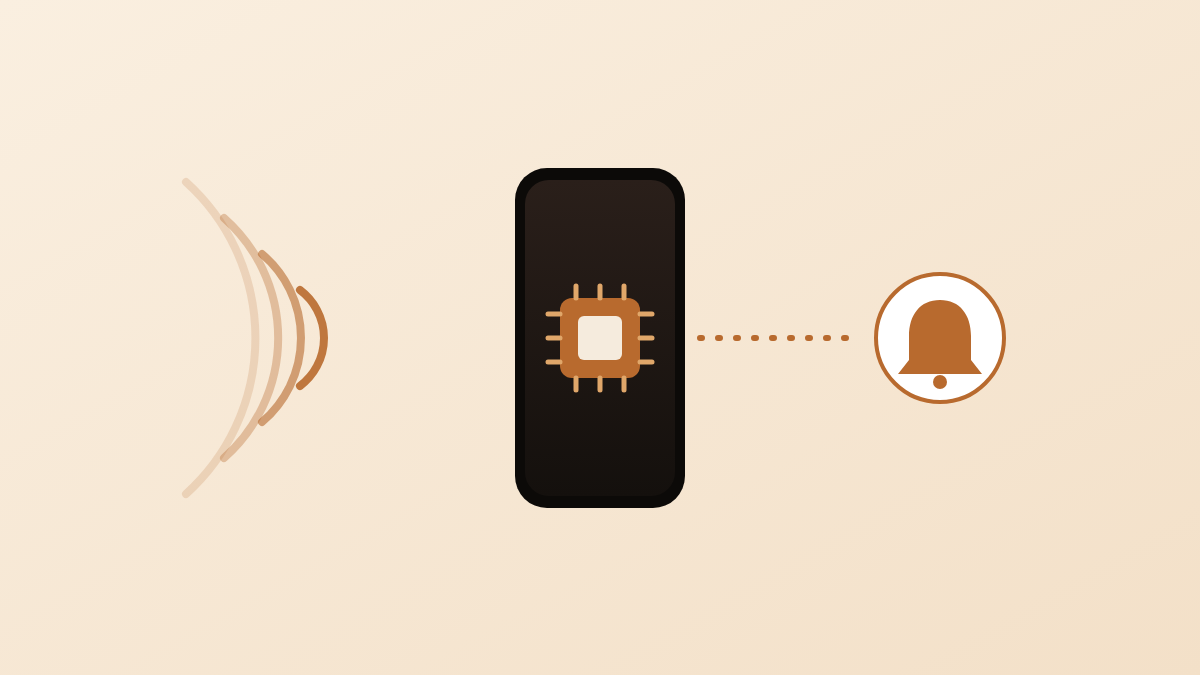
Cry detection is a sound classifier, not a listener
Cry detection is a program that takes a short slice of sound, about one second long, and gives it a label such as baby crying, speech or silence. It does not recognise words. It does not know whose baby is crying. It does not measure breathing, heart rate or oxygen, and it is not a medical device.
The usual name for this kind of program is a sound classifier: a small machine-learning model trained on many labelled recordings until it learnt what a cry sounds like compared with everything else in a home. When it runs, it listens to the live microphone, cuts the sound into overlapping windows, and for each window reports a confidence, a number from 0 to 1 that says how sure it is that the window contains a cry.
That confidence is noisy on its own, because a cry rises and falls and a cough or a squeaky door can look like crying for a moment. The rest of a cry-detection feature is the logic that turns a stream of confidence numbers into one useful alert; the section on misses and false alarms explains it.
Older monitors simply measured how loud the room was and alerted above a volume threshold. A classifier listens to the character of the sound, not its loudness, so a quiet cry registers and a loud fan does not.
Two ways to do it: in the cloud or on the device
A cloud monitor uploads the audio to the maker’s server, and a model on that server decides whether it is a cry. An on-device monitor runs the model on the phone or camera in the nursery, and only the decision leaves the room. They differ in where the sound goes.
| In the cloud | On the device | |
|---|---|---|
| Where the audio goes | Uploaded to the vendor’s server, often continuously | Stays on the phone in the nursery |
| Delay before an alert | Upload time plus server time plus push time | Model time only; then one small message to you |
| Works when the vendor’s servers are down? | No; the decision is made on the server | Recognition keeps working; the alert still needs a path to you |
| Privacy | The vendor can hear, store, replay or hand over the audio | Nobody outside the room can hear it; nothing is stored to hand over |
| What can leak | Raw audio of your home, in transit or at rest on the server | At most a “cry detected” signal with a time stamp |
The privacy difference is not about trusting one vendor. Audio uploaded to a server exists somewhere you cannot see, under a retention policy you did not write, reachable by anyone who gets into that server. Audio that is analysed on the phone and then dropped cannot be taken from a server, because nothing is on a server. The post on where baby monitor video goes covers the same question for the picture.
How on-device cry detection works
An on-device monitor runs a machine-learning sound classifier built for baby cries on the phone in the nursery, and nothing about that step needs a server. In plain words, the pipeline looks like this:
- The microphone delivers sound in small buffers, many times a second.
- The classifier groups them into short windows and, for each window, returns a confidence that it contains a baby crying.
- The app’s own logic decides whether a run of confident windows adds up to a real cry.
- If it does, the app sends one small “cry detected” message to the device you carry. The audio itself is dropped.
The model runs on the phone’s own processor, so recognition keeps working whether or not any server is reachable, and the only thing that travels is the decision.
Why it can miss a cry, or alert when nothing is wrong
A classifier can be wrong in two directions: it can hear a cry that is not there, or miss a cry that is. Both happen for ordinary reasons.
Causes of false alarms:
- A sibling crying, or a baby crying on television. The classifier recognises the sound, not the child.
- Sounds that share the shape of a cry for a moment: a cat, a squeaky toy, a laugh, a cough.
- A very sensitive setting, which alerts on fussing that would have settled.
Causes of misses:
- Distance. A phone on the far side of a large room, or in a hallway, hears the cry as a faint sound mixed with everything else.
- Steady background noise. Fans, air conditioning, a dehumidifier and white-noise machines all raise the floor the cry has to climb over.
- Soft, intermittent fussing with long gaps, which may never add up to a confident run.
- A covered microphone, a case that blocks it, or a device that has gone to sleep.
To stop one cough from becoming an alert, most on-device monitors apply two rules on top of the raw confidence. First, a confidence threshold: a window only counts as crying if the model is confident enough. Second, a debounce window: the app waits until crying has been present for several seconds, with short breaths allowed, before it fires, and it then waits for a stretch of quiet before it can fire again. The result is one cry, one alert, at the cost of a few seconds’ delay between the first wail and the notification. No setting removes both errors at once; a lower threshold catches softer cries and also lets more noise through.
Where to put the Baby Station
Place the Baby Station within a couple of metres of the crib, with the microphone unobstructed, away from fans and white-noise machines, and out of the baby’s reach. That fixes most detection problems parents report.
- Close, not inside. Near enough that a normal cry is clearly the loudest sound the phone hears; never in the crib, and with the charging cable routed where the baby cannot reach it.
- Microphone free. Avoid cases that cover the microphone openings; a small stand on a shelf or dresser works well.
- Away from constant noise. Put a fan, humidifier or white-noise machine on the other side of the room from the phone. The lowest setting that works for your baby is also the one that works best for detection.
- Plugged in and awake. Listening for a cry all night is steady work for a battery, and a device that has locked itself is not listening.
If the first night produces false alarms, move the phone before changing any setting; distance and noise are the two levers that matter most. The post on using an old iPhone as a baby monitor covers stands, chargers and heat.
How the alert reaches you
When the Baby Station decides a cry is real, it sends one small message to the Monitoring Station, and that message carries no audio. It says, in effect, cry detected, at this time. It travels separately from the live video and audio stream, so a stalled picture does not block the alert. Both devices still need an internet connection, because the message has to reach you wherever you are.
On the Monitoring Station, the alert arrives as a Time Sensitive notification. Apple defines this level as one the system presents immediately, lighting up the screen and breaking through notification controls such as a Focus mode (Apple Developer Documentation, 2025). In practice that means the alert can be allowed through a Sleep Focus, which is the setting most parents have on at night. It does not override the ring/silent switch; only Apple’s separate Critical Alerts level does that, and Apple grants that level to a narrow set of apps. If your alerts are not getting through, the fix is a two-minute Focus setting, explained in why baby monitor alerts go silent on iPhone.
What cry detection is not
Cry detection is not a breathing monitor, not a vital-signs monitor and not a device that makes sleep safer. It tells you your baby is awake and upset; no sound classifier can tell you your baby is breathing.
The two get mixed up in marketing. The American Academy of Pediatrics (AAP) is clear about devices sold as a safety net. Its 2022 safe sleep policy statement says: “Do not use home cardiorespiratory monitors as a strategy to reduce the risk of SIDS” (American Academy of Pediatrics, 2022). The same statement adds that there is no evidence that any commercial device reduces the risk of sleep-related deaths, and notes that about 3,500 infants die from sleep-related deaths each year in the United States (American Academy of Pediatrics, 2022). The U.S. Food and Drug Administration (FDA) takes the same position: to date it has not cleared or approved any baby product to prevent or reduce the risk of SIDS, and it knows of no scientific study showing that a device does (U.S. Food and Drug Administration, 2019).
A cry alert is useful for exactly what it is: it lets you cook, shower or sleep in another room and still know when your baby needs you. It does not replace safe sleep practice. The comparison of a monitor app against a dedicated monitor covers what each can and cannot do.
Where Nanuka fits
Nanuka uses the on-device approach described above. The Baby Station listens with an on-device machine-learning sound classifier built for baby cries and recognises the sound of a baby crying. The analysis happens entirely on that device; no audio is uploaded for anything to analyse it. When a cry is recognised, a small “cry detected” signal travels to your Monitoring Station and it alerts you with an on-screen notice, a chime and a Time Sensitive notification. If your Sleep Focus keeps the alert quiet, the two-minute fix is in baby monitor alerts silenced on iPhone.
What Nanuka needs: two Apple devices running iOS 16 or later, one as the Baby Station near the crib and one as the Monitoring Station with you; an internet connection on both; and Nanuka open on the Monitoring Station while you are monitoring. Pairing uses a QR code or a short code, with no account.
Nanuka is a cry detector and a live feed, built so that your baby’s sound and picture travel only between your two devices. More on the support page.
Questions parents ask next
Does on-device cry detection need an internet connection?
The recognition itself happens on the Baby Station, with no server involved. The alert still has to travel to the device you carry, so both devices need an internet connection for you to be told.
Can cry detection tell me why my baby is crying?
No. A sound classifier answers one question: does this sound like crying, or not. Products that promise to translate a cry into hunger or tiredness are making a different and much harder claim, and we know of no independent test that confirms it.
Will it react to a sibling, or a baby crying on TV?
It can. The classifier recognises the sound of crying, not a particular child. A recorded cry on a television sounds like a cry. Placing the Baby Station close to the crib and away from the TV reduces this.
Does Nanuka keep the audio it analysed?
No. Each slice of sound is analysed on the Baby Station and then dropped. Nothing is stored on the device and nothing is uploaded, so there is no audio for anyone to listen to later.
Will a cry alert reach me if my phone is on silent?
Cry alerts are sent as Time Sensitive notifications, so they are delivered promptly and can be allowed to break through a Focus mode you have set up. They do not override the ring or silent switch.
Sources
- UNNotificationInterruptionLevel — Apple Developer Documentation, 2025
- American Academy of Pediatrics Updates Safe Sleep Recommendations: Back is Best — American Academy of Pediatrics, 2022
- Baby Products with SIDS Prevention Claims — U.S. Food and Drug Administration, 2019
Published 15 Oct 2026 · Written by Team Nanuka; every fact is checked against the sources above before it is published.